ALLY SWIFT / ALLYSWIFT.EXCHANGE
INTERNAL USER-TO-USER TRANSFER PROCESS (FIAT – GHS)
Overview
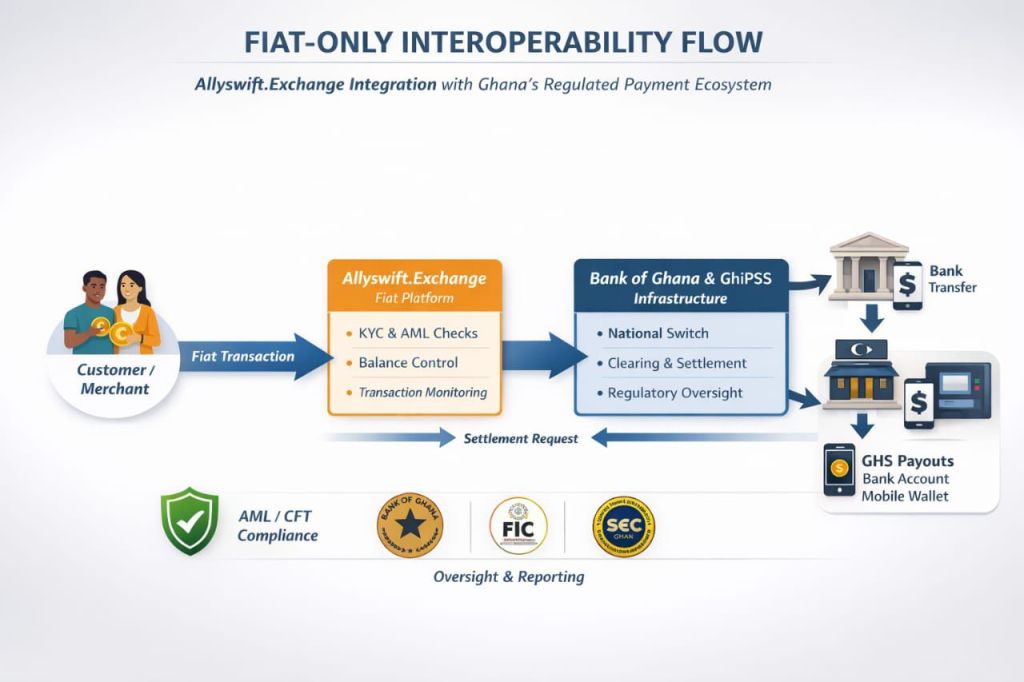
Allyswift.Exchange enables secure internal fiat transfers (GHS) between registered users within the platform. Transfers are executed using email-based unique identifiers and protected by a Transaction PIN, forming part of Allyswift’s internal fraud-prevention controls.
STEP-BY-STEP INTERNAL TRANSFER PROCEDURE
A. Transaction PIN Setup (One-Time Requirement)
- Log in to your Allyswift.Exchange account.
- Click the three horizontal lines (☰) at the top-left corner of the dashboard.
- Select Settings.
- Click Security and navigate to PIN & Security.
- Select Create PIN.
- Set a 4-digit Transaction PIN (confidential and known only to you).
⚠️ This PIN is required for all sensitive transactions and enhances account security.
B. Initiating an Internal Transfer
- Return to the Dashboard.
- At the Ghana Cedi (GHS) Fiat Wallet section, click the double arrow icon to reveal your available balance.
- Click Send Money below the wallet.
C. Transfer Details
- Enter the email address of the recipient.
🔐 Security Note:
The recipient’s email address serves as a unique identifier linked to their Allyswift.Exchange account.
This design supports a fraud-protection mechanism by ensuring funds are credited only to verified platform users.
- Enter the amount to be transferred.
- Scroll up to review the Transfer Summary to confirm all details are correct.
D. Authorization & Completion
- Click Continue to PIN.
- Enter your 4-digit Transaction PIN.
- Click Verify PIN to authorize and complete the transfer.
KEY SECURITY & COMPLIANCE FEATURES
Fiat-only internal transfers (GHS)
Email-based unique user identification
Mandatory Transaction PIN authorization
Logged and auditable transaction records
AML/CFT-aligned internal controls

 Global News
Leave a comment